-By Ahemed Sahmim Ansary
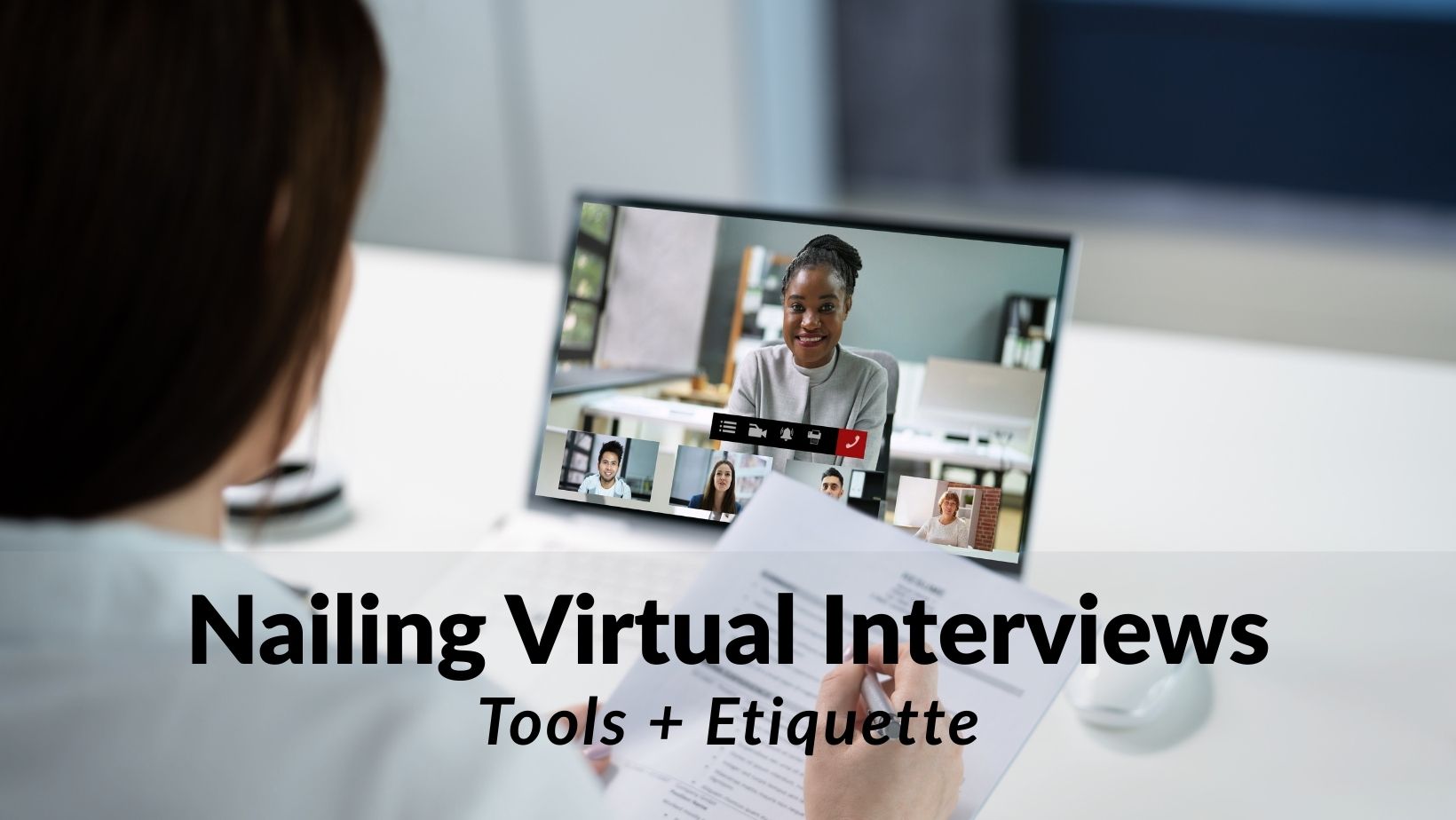
Virtual interviews are no longer a temporary adjustment—they are the new hiring reality. Across industries and continents, organizations have redefined their remote hiring process, relying on technology to assess talent efficiently and globally. For candidates, this shift brings both opportunity and pressure. You are no longer just evaluated on your résumé and answers—you are assessed on your digital interview skills, your technical readiness, your screen presence, and even your adaptability when something goes wrong.
The truth is simple: virtual interviews reward preparation. They amplify strengths—but they also magnify mistakes. This comprehensive guide provides practical, human-centered, and deeply strategic virtual interview tips, helping you master the tools, etiquette, and mindset required to stand out in today’s remote recruitment interviews.
Let’s break it down.
Why Virtual Interviews Are Now the Default Hiring Standard
The hiring landscape has permanently evolved. Organizations discovered during global disruptions that remote work increases flexibility, reduces operational costs, and widens access to talent. As a result, remote job interview tips are no longer niche—they are essential career survival skills.
Why companies prefer virtual interviews:
- Faster scheduling across time zones
- Lower logistical costs
- Access to global talent pools
- Easier panel coordination
- Digital recording for structured evaluation
For candidates, this means:
- Competing in a broader market
- Being evaluated on technical competence
- Demonstrating comfort with digital communication
The modern remote hiring process increasingly involves multiple digital stages:
- Initial screening call
- Live virtual panel interview
- AI-screened or recorded responses
- Final leadership discussion
Understanding this flow is critical for effective online interview preparation.
Virtual interviews test more than knowledge—they test adaptability, clarity, composure, and your ability to project professionalism through a screen.
Essential Tech Setup: Camera, Audio, Lighting, and Internet Stability
The first rule of internet interview preparation: your technology must disappear. If the interviewer notices your setup, something is wrong.
1. Camera Quality and Positioning
A strong video call interview setup includes:
- HD camera (1080p preferred)
- Camera positioned at eye level
- Framed mid-torso upward
- Neutral angle—no dramatic tilt
Eye-level placement enhances camera presence for interviews and strengthens perceived confidence.
Avoid:
- Looking down at a laptop
- Placing camera too far away
- Sitting too close to the screen
2. Audio Clarity
Recruiters forgive minor video issues—but poor audio ruins interviews.
Best practices:
- Use a USB microphone or quality headset
- Test sound before the call
- Eliminate background noise
- Silence notifications
Clear audio reflects preparation and professionalism—key online interview best practices.
3. Lighting
Lighting determines how trustworthy and professional you appear.
- Face a window (natural light preferred)
- Avoid strong backlight
- Use a ring light if necessary
- Ensure your face is evenly illuminated
Good lighting enhances virtual interview body language and facial expression clarity.
4. Internet Stability
Before any virtual interview tools are launched:
- Run a speed test
- Use wired internet if possible
- Close heavy bandwidth apps
- Have mobile hotspot backup
Reliable connection = visible competence.
Best Platforms for Virtual Interviews (Zoom, Meet, Teams, and Beyond)
Different companies use different platforms. Your responsibility is mastering them before the interview.
Zoom Interview Tips
Zoom remains dominant in remote recruitment interviews.
- Download latest version
- Rename profile professionally
- Disable distracting filters
- Use waiting room preparation time
Professional zoom interview tips include joining 5–10 minutes early.
Google Meet
- Works via browser
- Test camera permissions
- Use headset to prevent echo
Microsoft Teams
- Familiarize yourself with mute/unmute
- Know screen-sharing basics
- Understand chat function
Other Virtual Interview Tools
- HireVue
- Spark Hire
- VidCruiter
- Webex
Each tool may include recording features, structured scoring, and AI analysis.
Preparation means testing the exact platform beforehand—this is serious online job interview advice.
How to Create a Professional Background From Home
Your background speaks before you do.
Recruiters subconsciously assess order, professionalism, and attention to detail through your environment.
Ideal Professional Background for Video Interview
- Plain wall
- Neutral tones
- Minimal décor
- Clean workspace
If using virtual backgrounds:
- Ensure high quality
- Avoid tropical beaches or novelty images
- Use subtle office-style designs
A thoughtfully arranged professional background for video interview communicates stability and respect.
Avoid:
- Unmade beds
- Visible clutter
- People walking behind you
- Distracting artwork
Your background should frame you—not compete with you.
Virtual Interview Dress Code: What Recruiters Actually Expect
Just because you’re at home does not mean casual.
In fact, virtual interviews often require slightly more polish due to camera distortion.
Guidelines:
- Solid colors (avoid heavy patterns)
- Neutral or muted tones
- Avoid bright white under harsh light
- Dress fully—yes, even below the camera line
Why? Because confidence changes when you’re fully dressed professionally.
Dress code communicates seriousness in the remote hiring process.
Pro tip:
Test your outfit on camera beforehand. Some fabrics reflect oddly under lighting.
Digital Body Language: Eye Contact, Posture, and Screen Presence
In physical interviews, energy fills the room. In virtual settings, energy must travel through pixels.
Mastering virtual interview body language is non-negotiable.
Eye Contact
Look at the camera—not the screen—when speaking.
This creates perceived eye contact and improves camera presence for interviews.
Posture
- Sit upright
- Lean slightly forward
- Avoid slouching
- Keep shoulders relaxed
Posture influences vocal strength and authority.
Facial Expression
- Smile naturally
- Nod subtly
- Avoid blank expressions
Hand Gestures
- Keep within frame
- Use controlled movements
- Avoid exaggerated gestures
Strong digital interview skills transform you from “just another candidate” into a memorable presence.
Common Virtual Interview Mistakes That Cost Candidates Jobs
Even highly qualified candidates lose offers due to preventable errors.
Common Virtual Interview Mistakes
- Joining late
- Not testing technology
- Reading from notes visibly
- Checking phone
- Poor lighting
- Interrupting due to lag
- Speaking too fast
- Multitasking
One overlooked issue: lack of enthusiasm. Virtual environments flatten emotion. You must amplify energy intentionally.
Another major error in remote recruitment interviews: failing to research the company’s remote culture.
Preparation = credibility.
How to Handle Technical Glitches Without Losing Confidence
Technology fails. What matters is composure.
During internet interview preparation, anticipate disruptions.
If connection drops:
- Rejoin immediately
- Apologize briefly
- Continue calmly
If audio fails:
- Switch to backup device
- Offer phone dial-in
If video freezes:
- Acknowledge lightly
- Suggest turning off video temporarily
Confidence under pressure demonstrates maturity—an underrated strength in the remote hiring process.
Your reaction becomes part of the evaluation.
Smart Ways to Follow Up After an Online Interview
Many candidates underestimate the power of thoughtful follow-up.
Within 24 hours:
Send a concise thank-you email.
Include:
- Appreciation
- Reference to discussion topic
- Reaffirmation of interest
Effective follow up after a virtual interview shows professionalism and reinforces your value.
Optional addition:
Share relevant portfolio or case study discussed.
Do not:
- Demand feedback aggressively
- Send multiple reminders quickly
Follow-up is relationship-building, not pressure.
Preparing for AI-Screened and Recorded Video Interviews
A rising trend in remote recruitment interviews is AI-screened responses.
Platforms analyze:
- Word choice
- Speech clarity
- Facial expression
- Response timing
AI Video Interview Preparation Tips
- Practice structured responses (STAR method)
- Speak clearly and evenly
- Avoid filler words
- Maintain camera focus
- Control background noise
Unlike live interviews, recorded interviews remove feedback cues. This can feel uncomfortable.
Remember: authenticity still matters. Over-rehearsed robotic answers reduce impact.
Strong ai video interview preparation blends structure with personality.
Privacy, Ethics, and Responsible Use of Student Data in Modern Education
As digital interviews grow, so do concerns about data use.
Recorded interviews may be:
- Stored
- Reviewed by multiple evaluators
- Processed via algorithms
Ethical concerns include:
- Data retention
- Algorithmic bias
- Candidate consent
Responsible organizations disclose how recordings are used within their remote hiring process.
As a candidate:
- Read platform policies
- Avoid sharing sensitive information unnecessarily
- Use secure devices
Digital literacy now includes understanding data ethics.
What the Future Holds: Will Data Literacy Become a Core Academic Skill?
Virtual interviews are only one aspect of a broader digital transformation.
Tomorrow’s professionals will need:
- Data interpretation skills
- Digital communication fluency
- Comfort with AI screening
- Adaptability in hybrid environments
Educational institutions are slowly integrating digital communication and online interview best practices into curricula.
Data literacy—understanding how your digital footprint is evaluated—may soon become a foundational academic skill.
The emotional reality?
Careers are no longer built only in conference rooms. They are built through cameras, microphones, and algorithmic filters.
The human advantage lies in adaptability.
Final Reflection: Mastery Is the New Differentiator
Virtual interviews are not easier than traditional interviews—they are simply different.
They test:
- Preparation
- Emotional control
- Technical competence
- Screen communication
- Professional maturity
Mastering how to prepare for a virtual interview requires intention.
Let’s recap the core pillars:
Successful Virtual Interview Formula
- Technical readiness
- Professional environment
- Digital body language mastery
- Strategic preparation
- Calm response to disruption
- Thoughtful follow-up
If you approach virtual interviews casually, you blend in.
If you approach them strategically, you stand out.
The modern candidate is not just qualified—they are digitally fluent.
And in an era where first impressions travel through fiber optic cables, that fluency makes all the difference.
At the individual level, professionals and students can strengthen their capabilities through practical skill development pathways available at Skill.jobs – career and skills advancement programs, helping people stay prepared for the demands of nailing virtual interviews with tools and etiquette.